> ## Documentation Index
> Fetch the complete documentation index at: https://docs.idalia.app/llms.txt
> Use this file to discover all available pages before exploring further.
# Quickstart
> Create your first asset type and unique asset

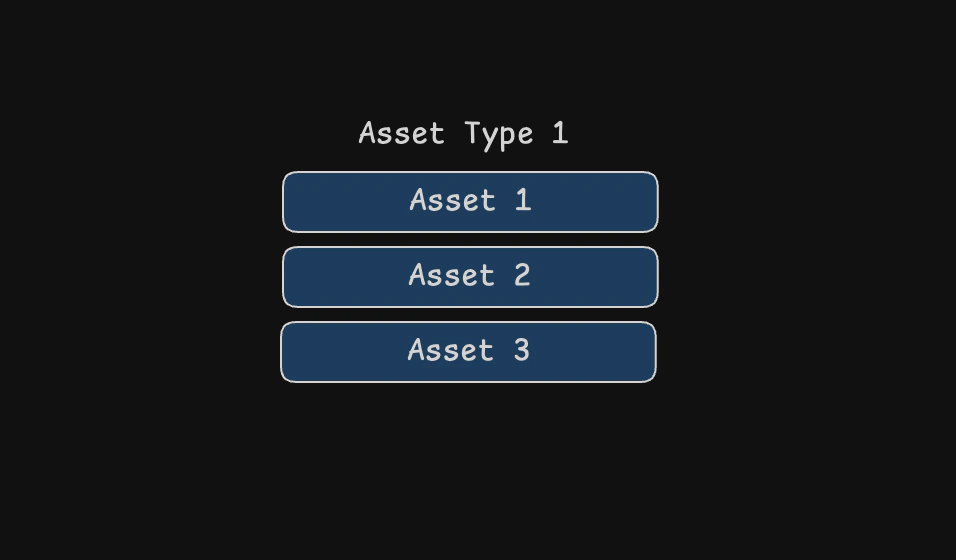 The asset register is split into two parts: asset types and unique assets. Let's create one of each now.
### Create an asset type
1. Go to the [Asset Types page](https://idalia.app/dashboard/asset-types)
2. Press Create in the top-right
3. Enter `Test Asset Type` in the name field (leave the other fields blank)
4. Press Create
Your new asset type is created instantly. Click on it to view its dedicated page.
### Create a unique asset
1. On the asset type page, click + Add asset
2. Enter a name: `Test Asset Type 001` (leave the other fields blank again)
3. Press + Create
You've just created a unique asset of the type you made earlier. Asset types group similar assets together. Unique assets represent individual, trackable items of a type.
### Managing assets
* Click on any asset type or unique asset in the register to view its details
* Use the toggle at the top of the page to switch between viewing asset types and unique assets
* Click the **Notes** button to add notes about an asset
* View the **History** section to see all changes made to the asset
### Next steps
You've created your first asset type and unique asset. Continue to [Concepts](/assets/concepts) to learn more about assets in Idalia.
The asset register is split into two parts: asset types and unique assets. Let's create one of each now.
### Create an asset type
1. Go to the [Asset Types page](https://idalia.app/dashboard/asset-types)
2. Press Create in the top-right
3. Enter `Test Asset Type` in the name field (leave the other fields blank)
4. Press Create
Your new asset type is created instantly. Click on it to view its dedicated page.
### Create a unique asset
1. On the asset type page, click + Add asset
2. Enter a name: `Test Asset Type 001` (leave the other fields blank again)
3. Press + Create
You've just created a unique asset of the type you made earlier. Asset types group similar assets together. Unique assets represent individual, trackable items of a type.
### Managing assets
* Click on any asset type or unique asset in the register to view its details
* Use the toggle at the top of the page to switch between viewing asset types and unique assets
* Click the **Notes** button to add notes about an asset
* View the **History** section to see all changes made to the asset
### Next steps
You've created your first asset type and unique asset. Continue to [Concepts](/assets/concepts) to learn more about assets in Idalia.